App menu
To open the app menu, tap the menu icon  in the top left corner on any tab.
in the top left corner on any tab.After opening the menu, you will see:
-
your username
-
the selected vehicle (its current status is displayed in the app)

The menu provides access to the main sections of the app:
• My cars
• History
• Video
• Reports
• Alerts
• FAQ
• Settings
Below is a detailed description of each section and its features.
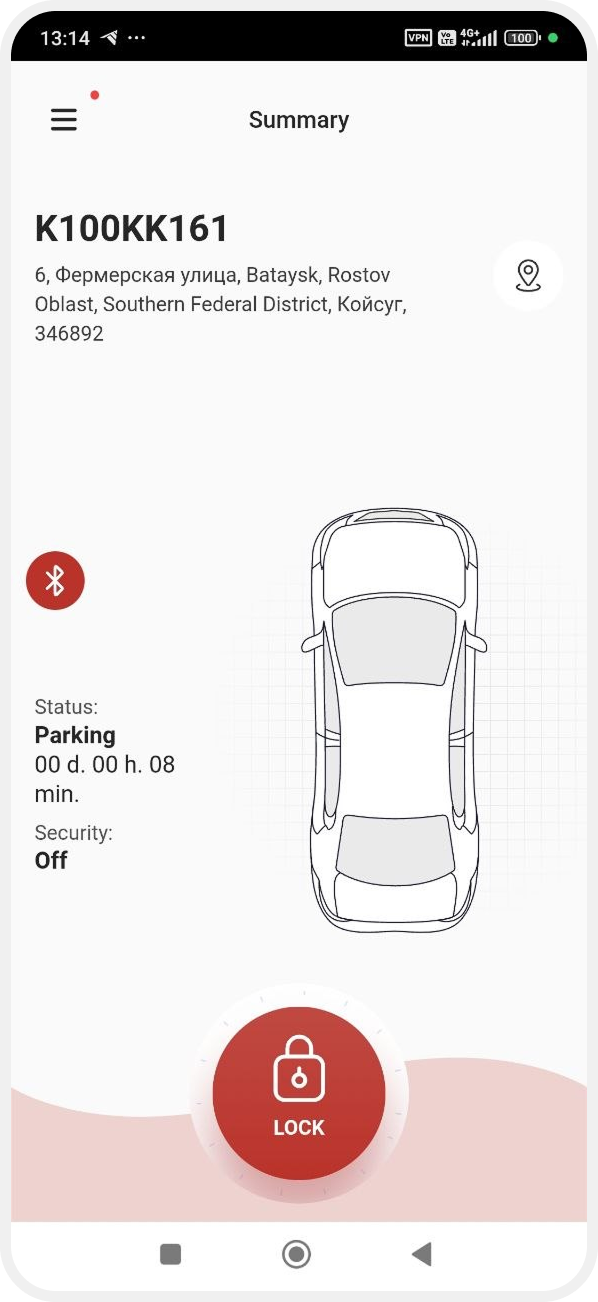
The Car condition tab helps you quickly understand the current condition of your vehicle.
The screen displays:
-
vehicle name or number
-
current location address
-
status — moving or parked
-
time in current state
-
security status — armed or disarmed
-
lock control button — to remotely lock or unlock the vehicle
-
Bluetooth icon — indicates availability of Bluetooth control
To view the vehicle on the map, tap the map icon  in the Car condition tab. A map screen with the current location will open.
in the Car condition tab. A map screen with the current location will open.
To change the map view, tap the map layer icon  . In the Map layer window, select the preferred display option.
. In the Map layer window, select the preferred display option.You can also enable traffic display to see road conditions near the vehicle.


The My cars tab shows all vehicles available to you. To view a vehicle tap it in the list — the status screen will open.

1. Tap Add 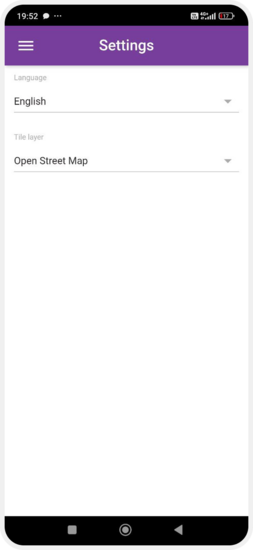 in the top right corner
in the top right corner 2. Scan the QR code:
-
from the device

3. The car will be added to your account automatically
In the My beacons tab, you can view and manage Bluetooth beacons connected to the device.
Available for Teltonika devices.
|
Beacons are used for:
-
driver identification
-
access control
-
automation scenarios (for example, automatic disarm when approaching)
Each beacon is a separate device with a unique ID.

What you see in the list:
-
beacon name
-
ID
-
status (active / inactive)
Tap a beacon to open actions:
-
Enable beacon broadcast — when the beacon is detected, the system can automatically perform an action (e.g. disarm the vehicle)
-
Rename beacon — opens a window to edit the name

The Update button updates the list from the device.
Beacons are configured on the device side (e.g. Teltonika).
To appear in the app:
-
they must be configured and registered on the device
-
the device must send the data to the PILOT system
Setup guide for Teltonika devices:
The History tab shows vehicle movement history.
You can:
-
view routes
-
analyze trips
-
check events for a selected period

In the Video tab, you can view recordings from installed video devices.

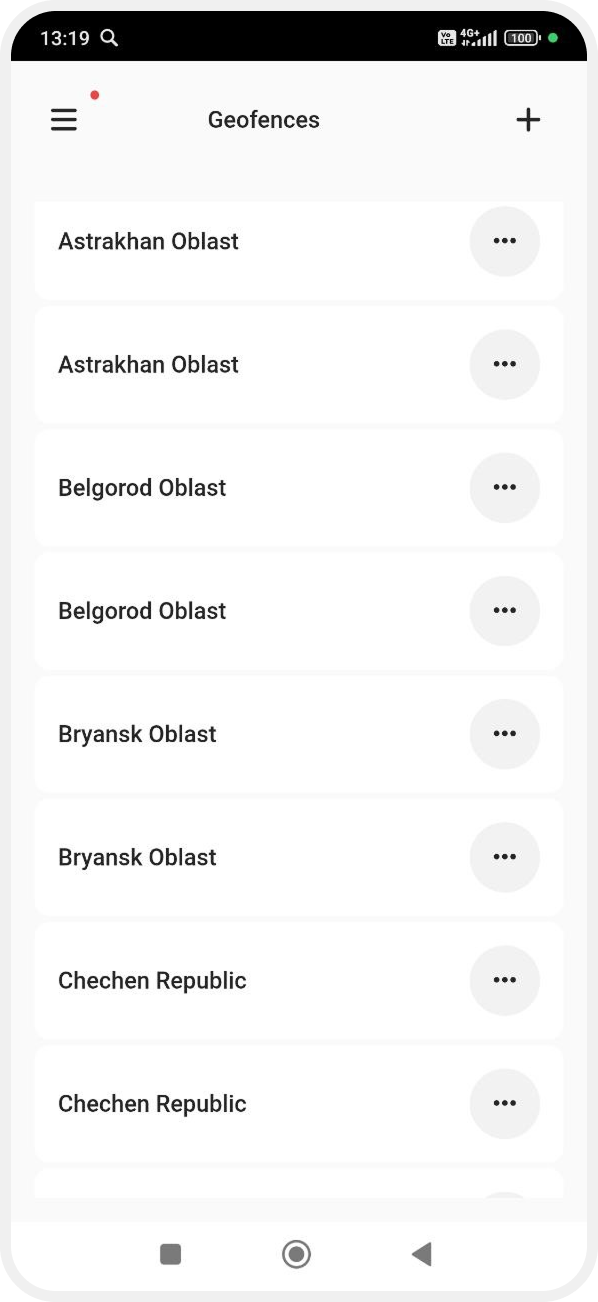
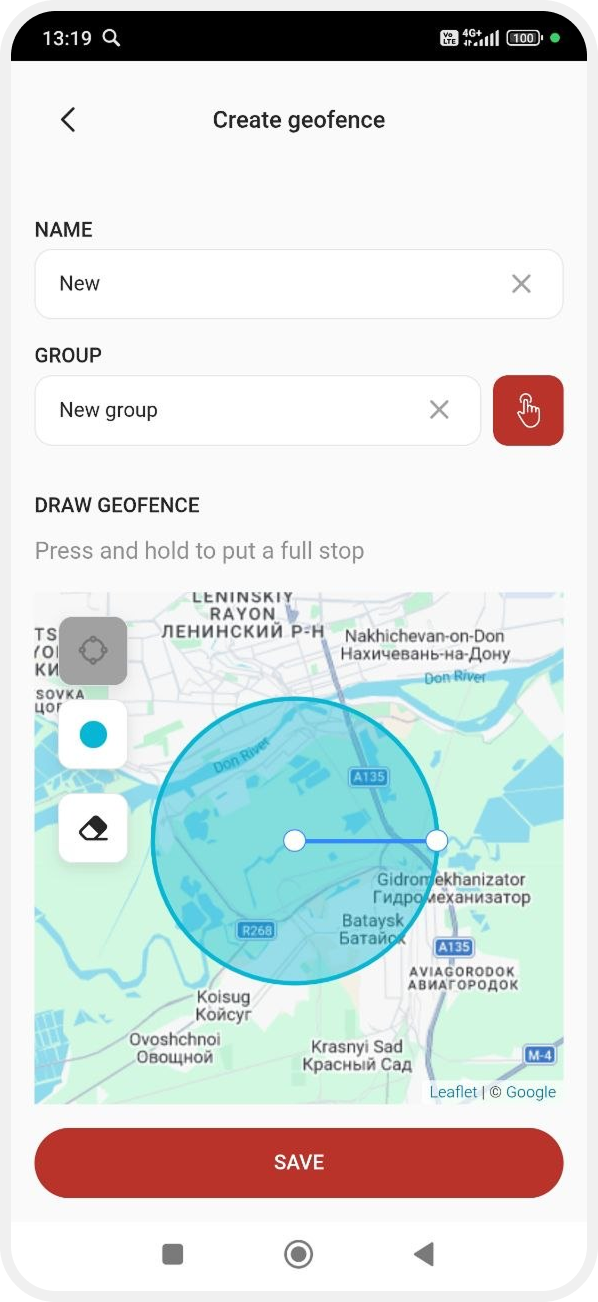
In the Geofences tab you can:
-
create geofences
-
edit them
-
set notifications for entry and exit
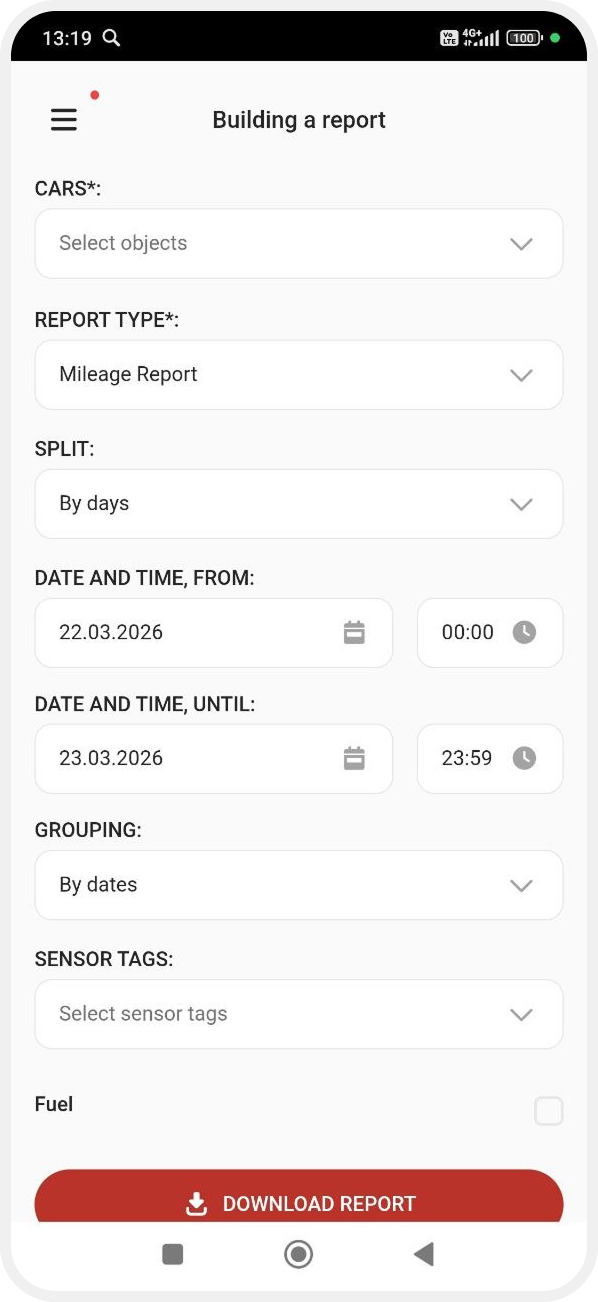
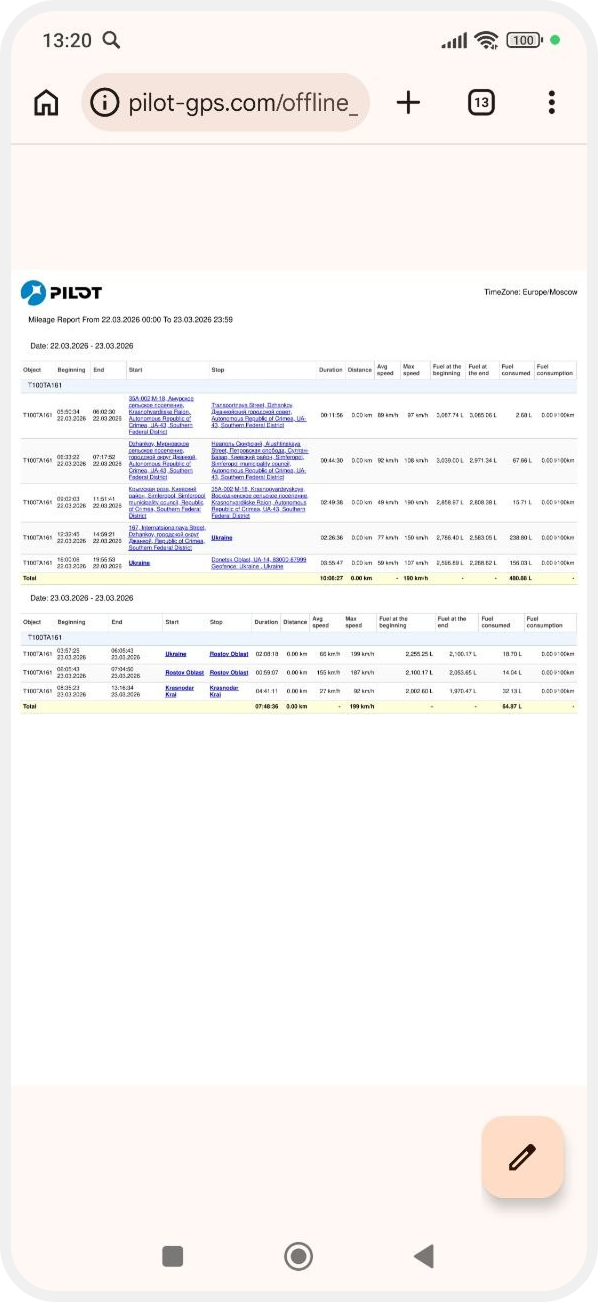
In the Reports tab, you can generate reports based on selected vehicles and parameters.
This section displays events and alerts.
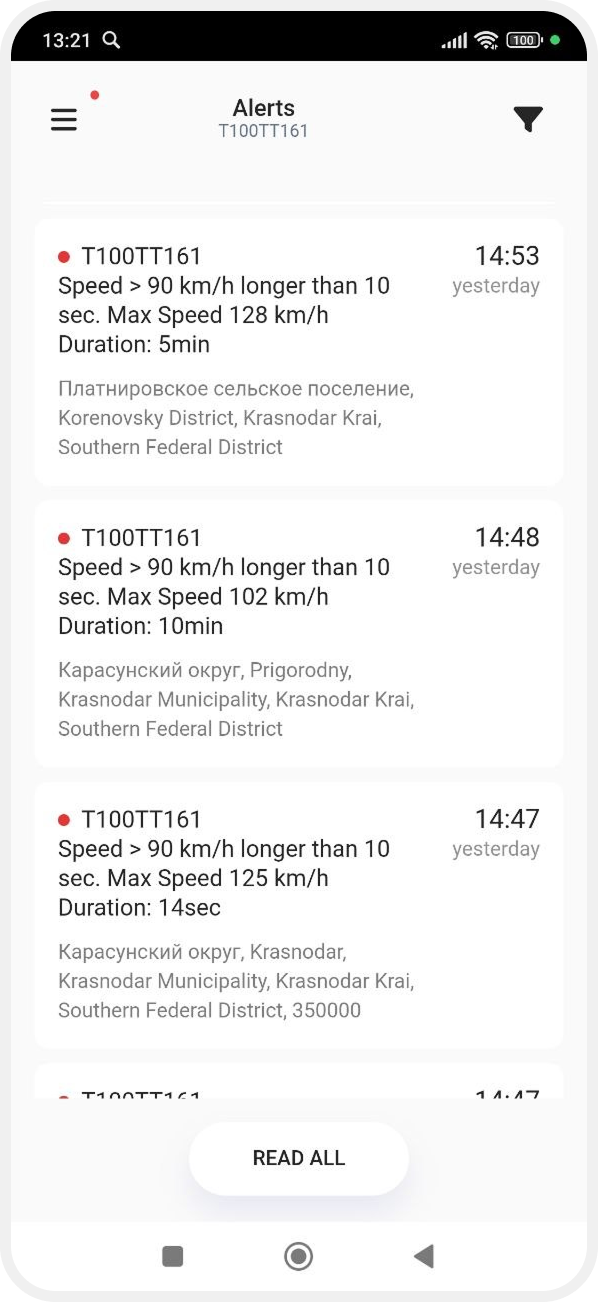
Each item shows:
-
vehicle or object
-
event type or message
-
date and time
-
event location
To view an event tap it — the map with event details will open.

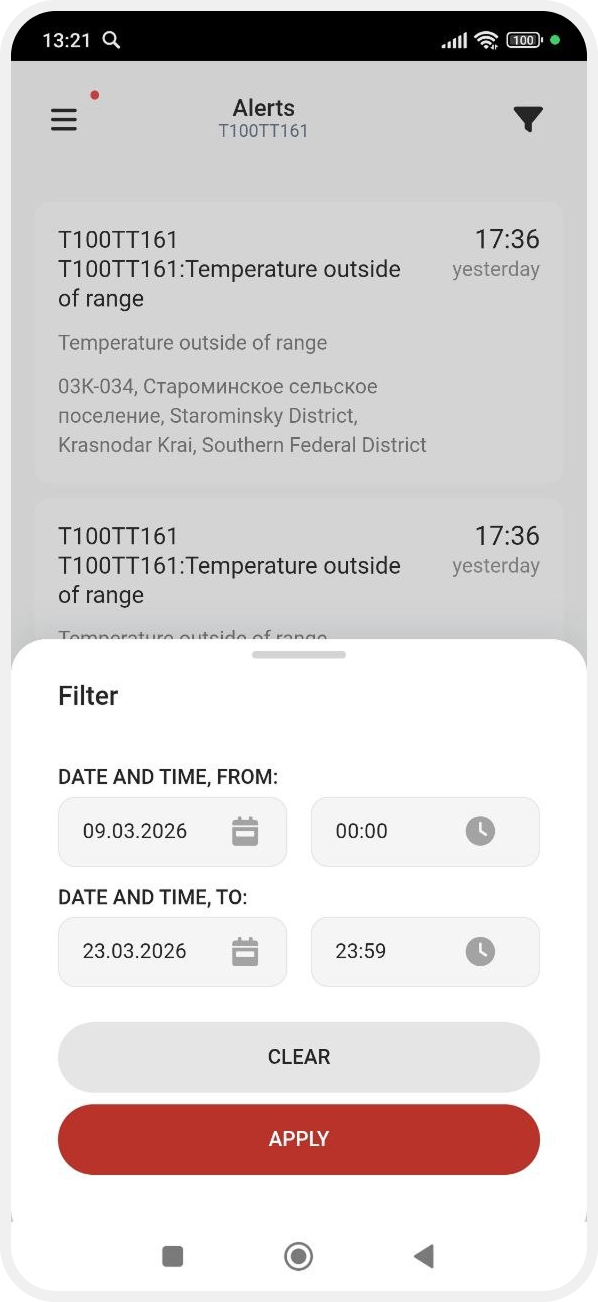
To filter notifications:
1. Tap the filter icon 
2. Select a period
3. Tap Apply
Only matching notifications will remain in the list.
Link to the support website with:
-
frequently asked questions
-
feedback form
In the Settings section, you can configure the app and manage access.

-
Language — tap the dropdown and select your preferred language.
-
Notifications
Available options:
— Show address — includes the event address in notifications
— Sound notifications — enables sound alerts
-
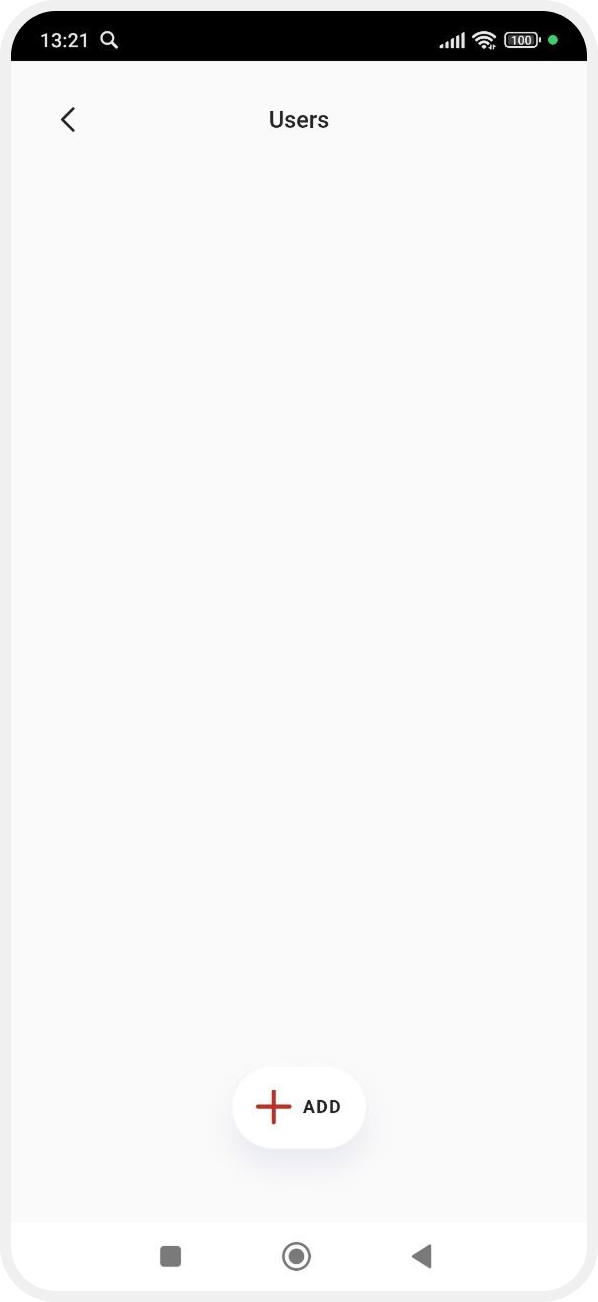
Users — manage access by adding users and setting permissions.
How to add a user:
1. Go to Users
2. Tap Add
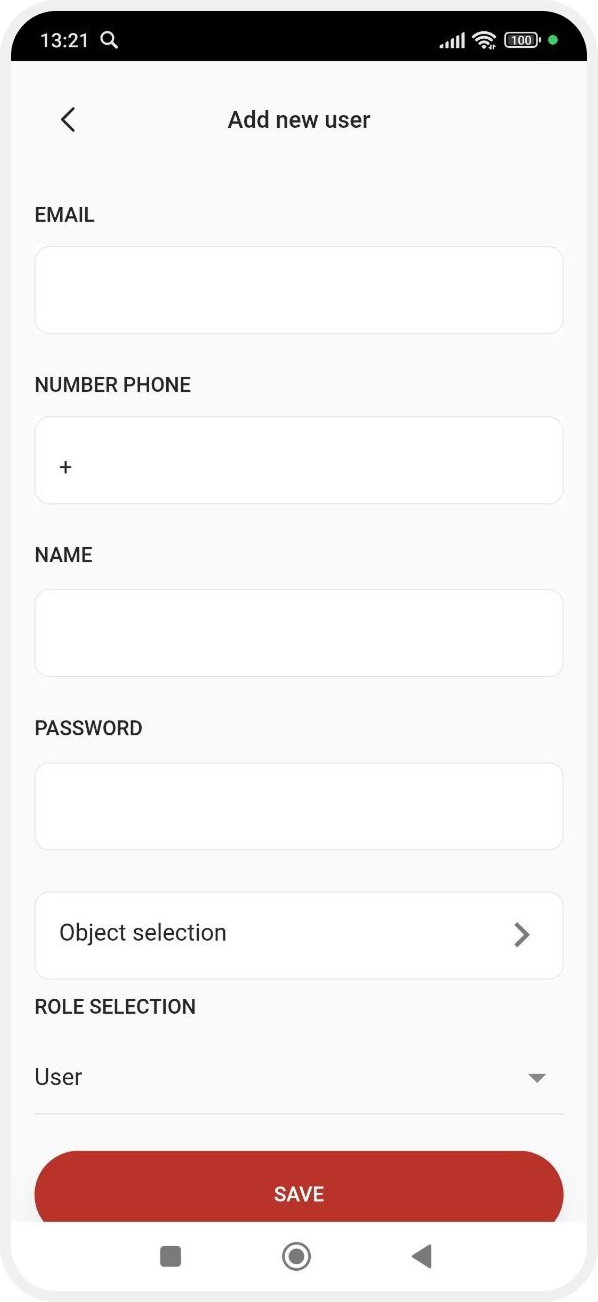

3. Enter:
-
Email
-
phone number
-
name
-
password4. Select:
— accessible objects
— role (Administrator or User)
5. Tap Save
-
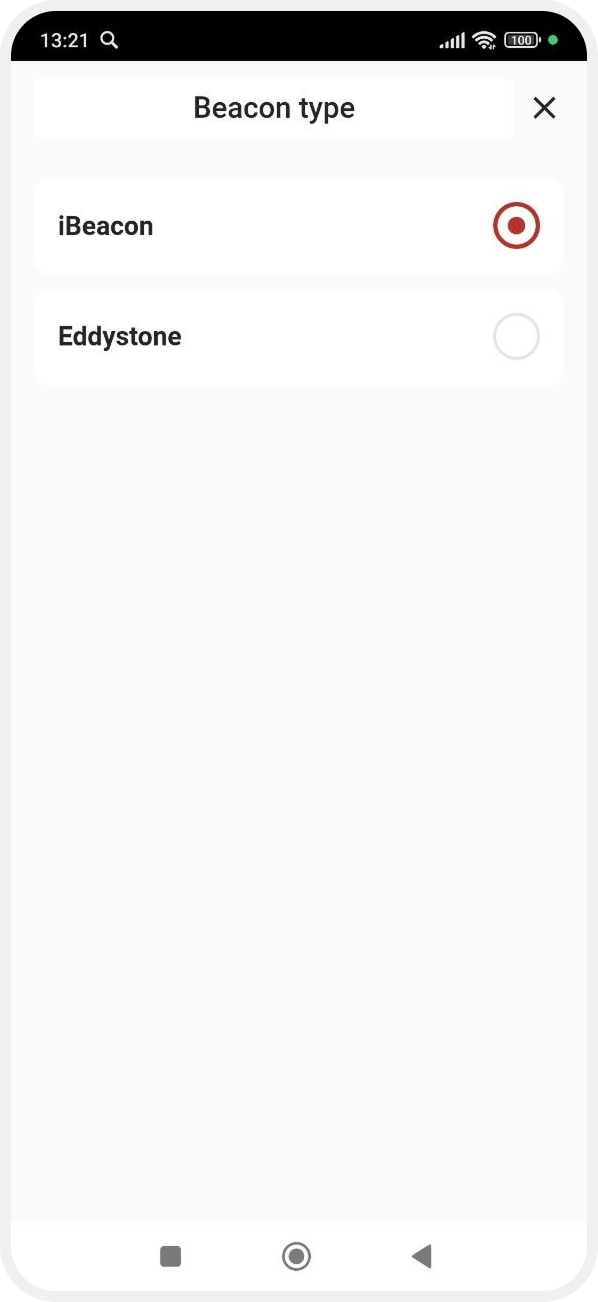
Beacon type
Select the Bluetooth beacon type used for vehicle communication:
— iBeacon — Apple technology using Bluetooth Low Energy, transmits UUID, Major, Minor
— Eddystone — open BLE format transmitting ID, URL, and telemetry
-
PIN Code — you can set a PIN code for login:1. Enter a new code2. Confirm it3. Tap Save

-
Vehicle settings
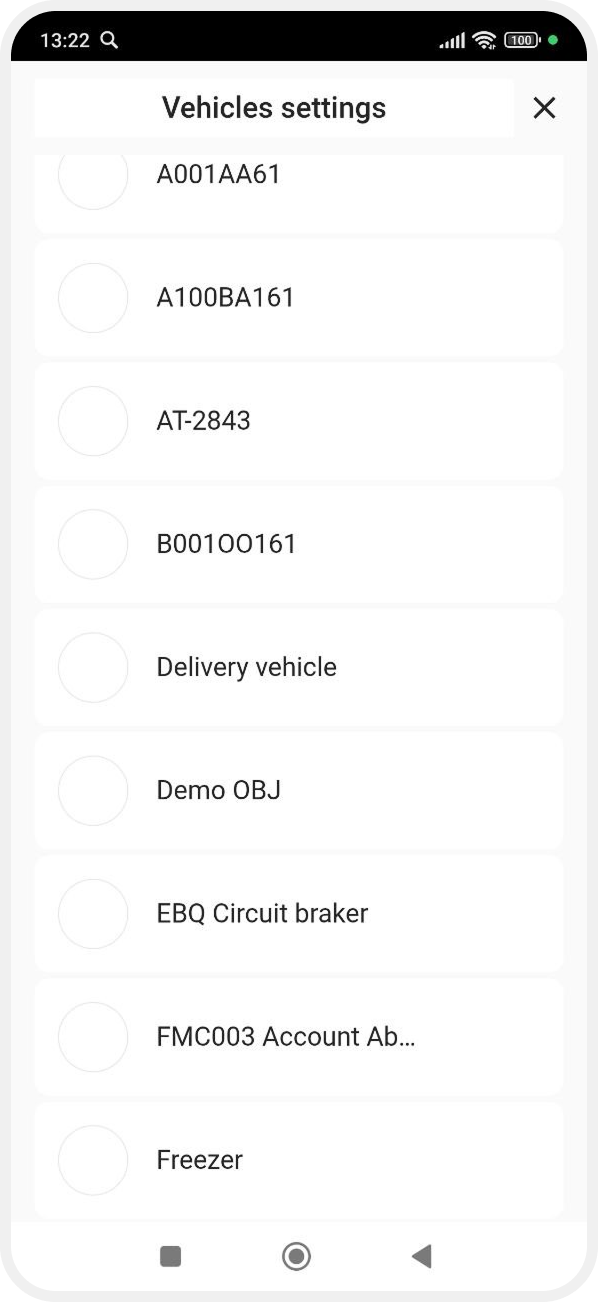
Select a vehicle to configure:
-
change vehicle image

-
set notifications for events:— no connection with vehicle— movement with ignition off— arm/disarm events— low battery
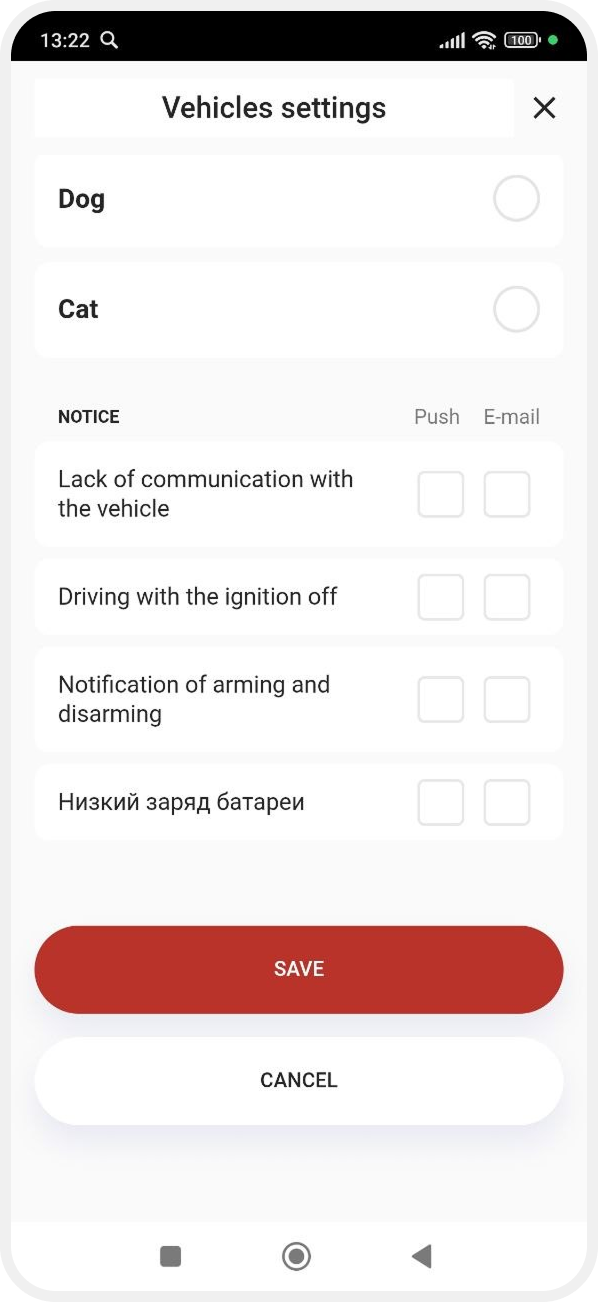
For each event, choose:
— Push — mobile notification
— Email — email notification
Theme
Use the switch at the bottom to change the app theme.

Log out
Tap Log out to sign out of your account.