Clone
You can create a new account based on an existing one by copying the necessary settings and data.
How to clone an account:
1. Select the account you want to copy
2. Right-click on the account to open the context menu
3. Click Clone
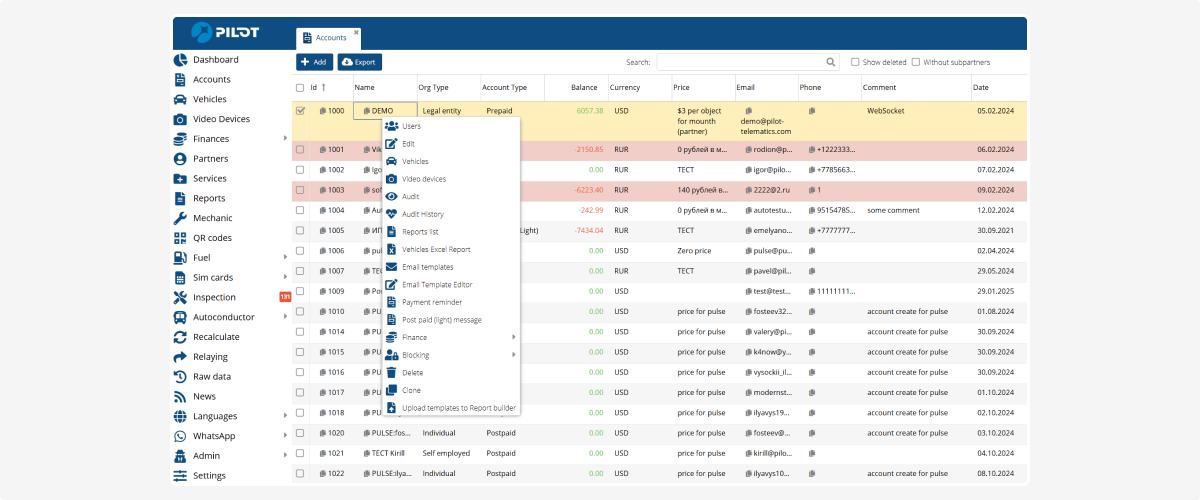
4. Enter the settings for the new account
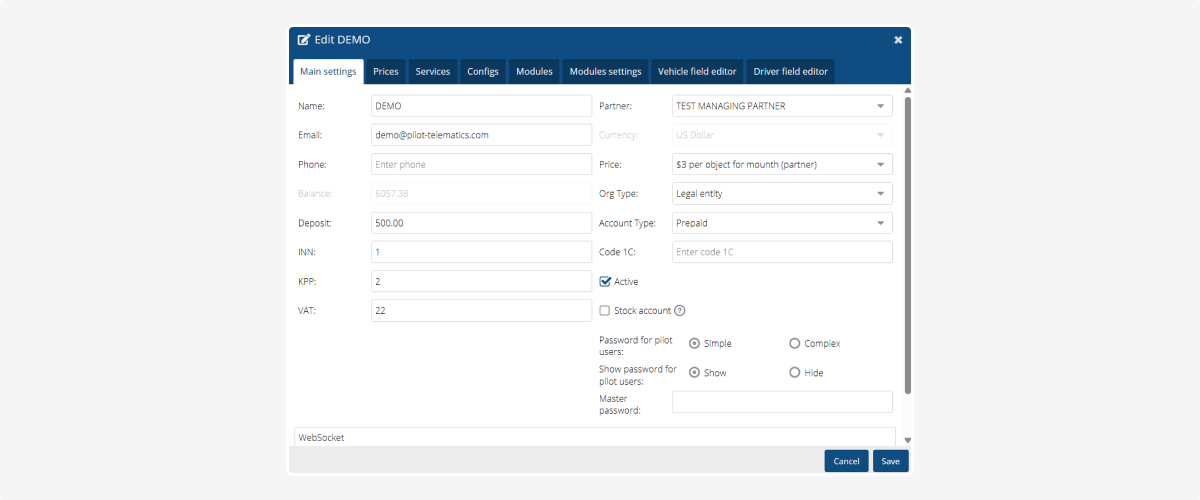
5. Click Save — a window will open to choose what to copy to the new account
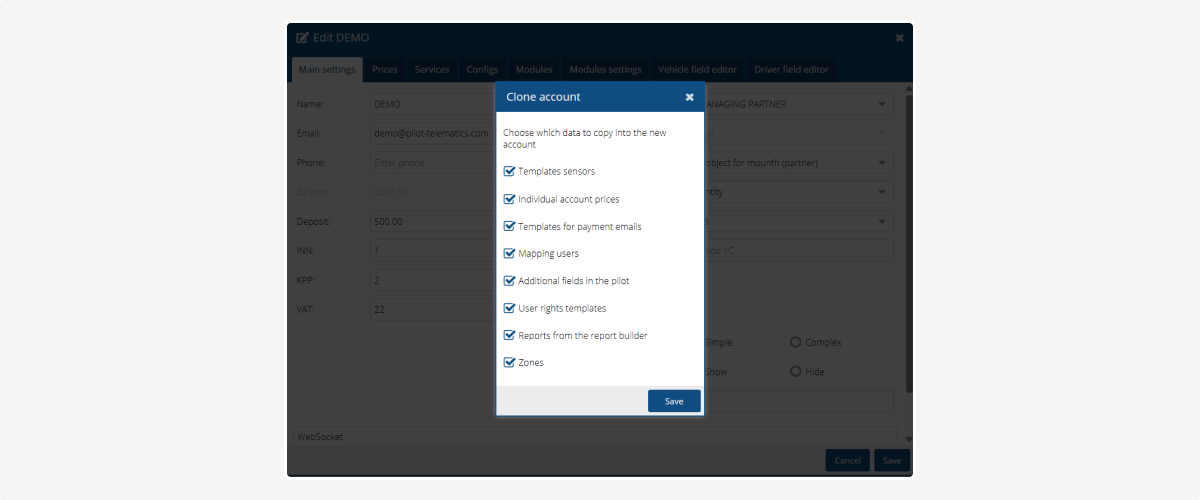
What can be copied:
-
Sensor templates – all sensor settings and templates (fuel, temperature, doors, etc.)
-
Individual account prices – personalized tariffs assigned to specific assets of the account
-
Payment email templates – texts and settings of email notifications (invoices, reminders, etc.)
-
Mapping users – which users are linked to which assets or clients
-
Additional fields – all custom fields
-
Users – rights and display settings of account users
-
Reports from the report builder – custom reports created using the report builder
-
Geofences – all zones associated with the account (base, warehouses, routes, etc.)6. Select what to copy into the new account and click Save.