Eco driving weights
Eco Driving weights (weighting factors) determine how much each type of driving violation affects the overall driving quality score.
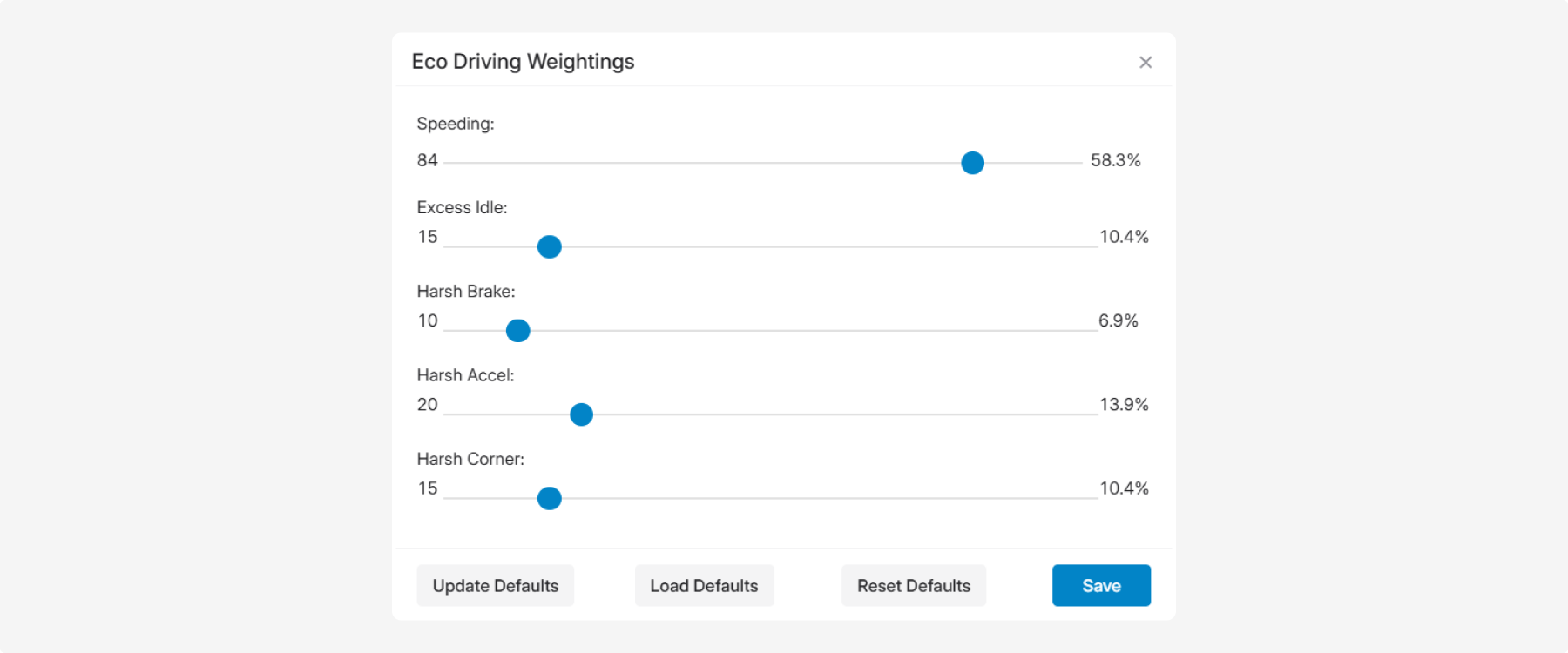
When the system records a driving event, it assigns fine points. The overall driving quality score is then calculated by applying the configured Eco Driving weights to those Fine points.
The higher the weight, the greater the impact of that violation type on the final driving quality score.
Changing the Eco Driving weights does not affect how events are detected or how many fine points are assigned. It only changes how those fine points influence the overall score in Eco Driving reports.
|
Eco Driving weight settings apply to the entire account and are used when generating Eco Driving reports.
Indicators
The following indicators are available:
|
Indicator
|
Description
|
|
Speeding
|
Speed limit violations
|
|
Excess Idle
|
Excessive engine idling
|
|
Harsh Brake
|
Harsh braking
|
|
Harsh Accel
|
Harsh acceleration
|
|
Harsh Corner
|
Harsh cornering
|
For each indicator, the following values are displayed:
-
Weighting factor — the numeric value used when calculating the overall driving quality score.
-
Slider — allows you to adjust the importance of the corresponding violation type.
-
Percentage — shows the contribution of the violation type to the overall driving quality score.
The total of all Eco Driving weights must always equal 100%.
Example
If you increase the weight for Speeding, speeding violations will have a greater impact on the overall driving quality score than the other violation types. The recorded events and assigned Fine points remain unchanged.
Configuring Eco Driving weights
1. Open the Eco Driving weights window 

2. Adjust the indicator values using the sliders
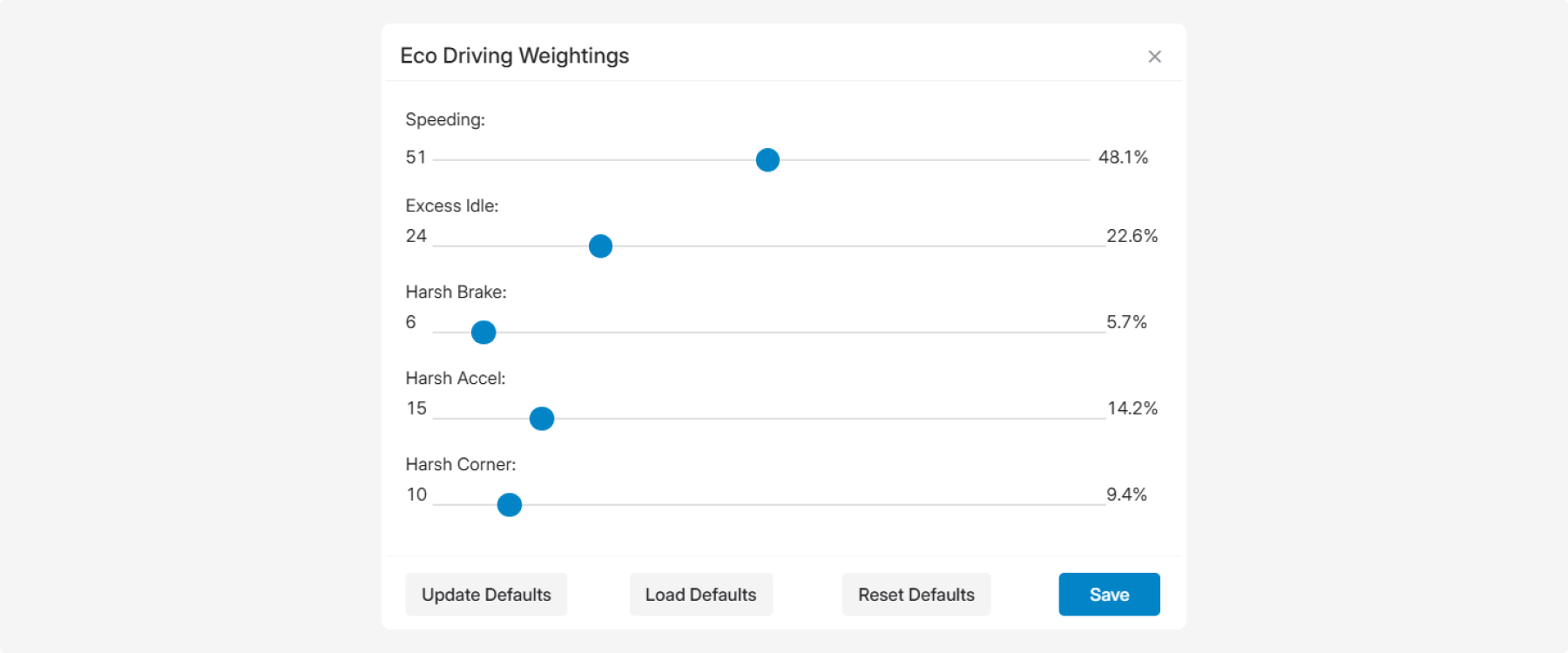
3. Make sure the total of all Eco Driving weights equals 100%.
4. Click Save
The Harsh Brake and Harsh Accel weights are the most commonly adjusted when you want to increase or decrease the impact of harsh driving maneuvers on the overall driving quality score.
The following commands are available at the bottom of the Eco Driving weights window:
-
Update Defaults — saves the current values as the default settings
-
Load Defaults — loads the previously saved default settings
-
Reset Defaults — restores the system default settings
The default Eco Driving weights are:
-
Speeding — 58.3%
-
Excess Idle — 10.4%
-
Harsh Brake — 6.9%
-
Harsh Accel — 13.9%
-
Harsh Corner — 10.4%