Driver license expire
This report shows which drivers have a driver’s license that is about to expire.
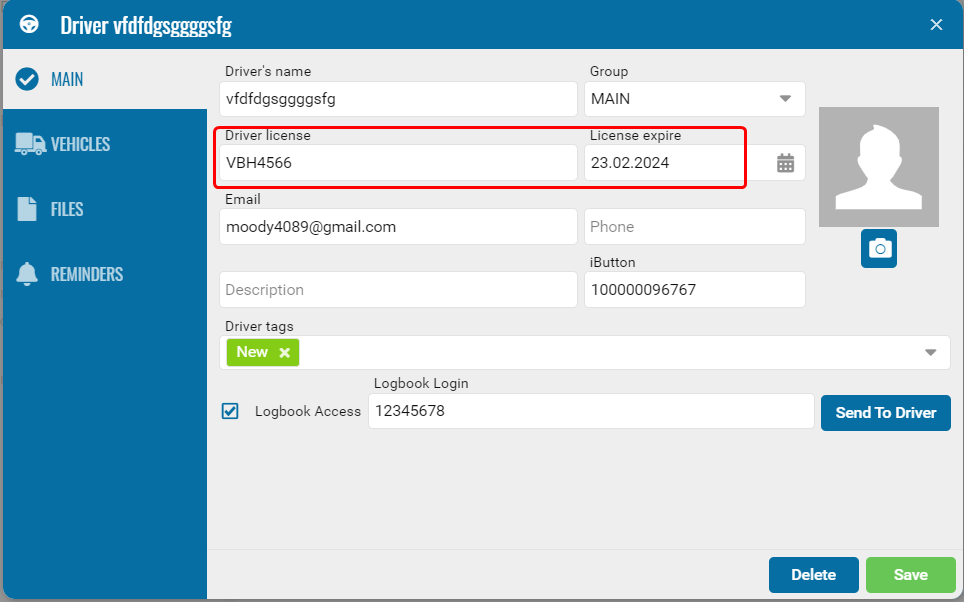
For a driver to appear in the report, the following fields must be filled in the driver profile:
1. Driver’s license — license number
2. Driver’s license expiry date — expiration date

1 — Driver license
2 — License expiry
How to build the report
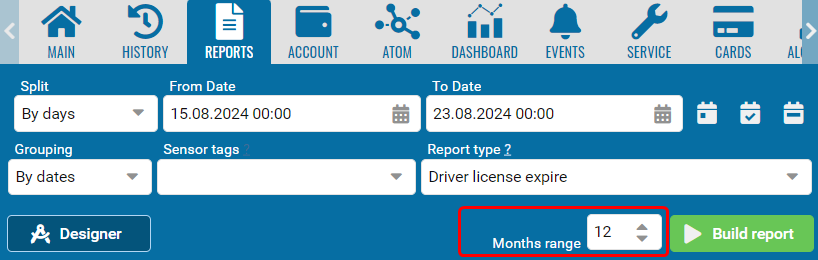
1. Go to the Drivers reports section
2. Select the Driver license expire report

1 — Months range
2 — Select the driver
3. Set the check period — the range of months during which the driver’s license may expire
4. Select the drivers
5. Build the report
What the report shows
Each row represents one driver whose license expiration date falls within the selected period.
• Driver — driver’s full name
• Group — the group the driver belongs to
• ID number — driver’s license number
• Contact number — contact phone number
• Registration — the object assigned to the driver
• Expiry date — driver’s license expiration date