How to add a sensor
A sensor is a device that collects and transmits data about a specific parameter or the status of the monitored object.
To add a sensor:
1. Open the object menu. To do this, right-click on the object in the list on the Online tab
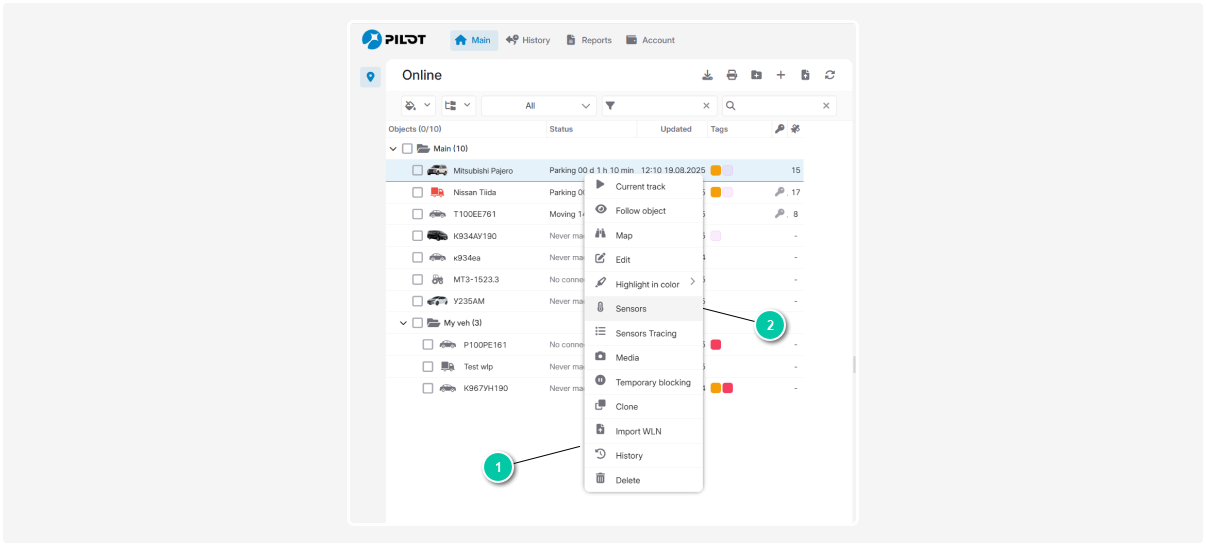
1 — Object menu
2 — Sensors tab
2. Go to the Sensors tab in the object menu
3. In the Sensors tab, click the button to add a new sensor
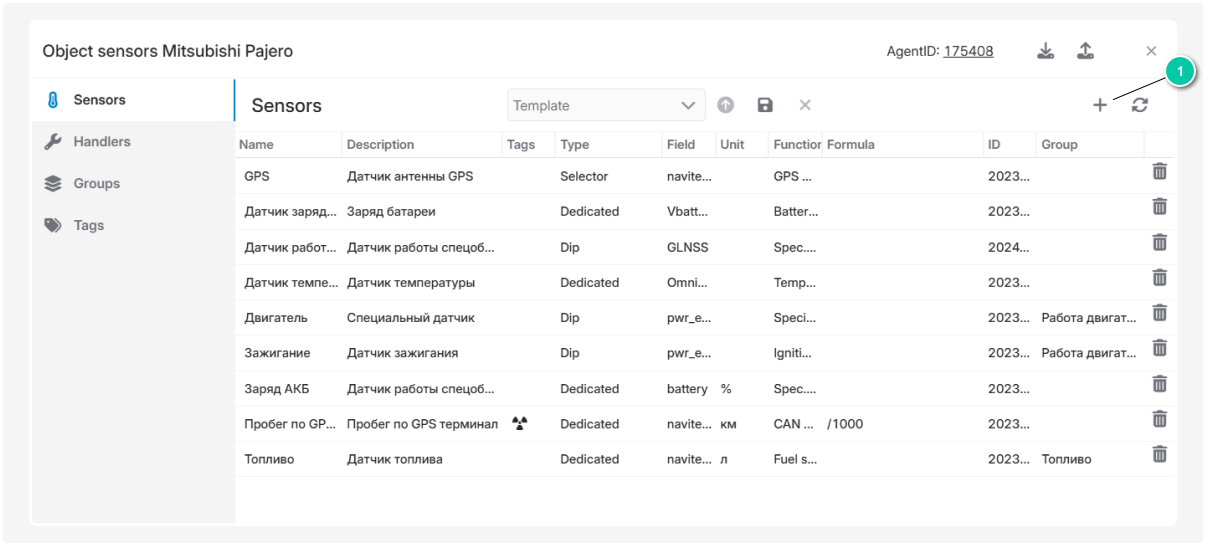
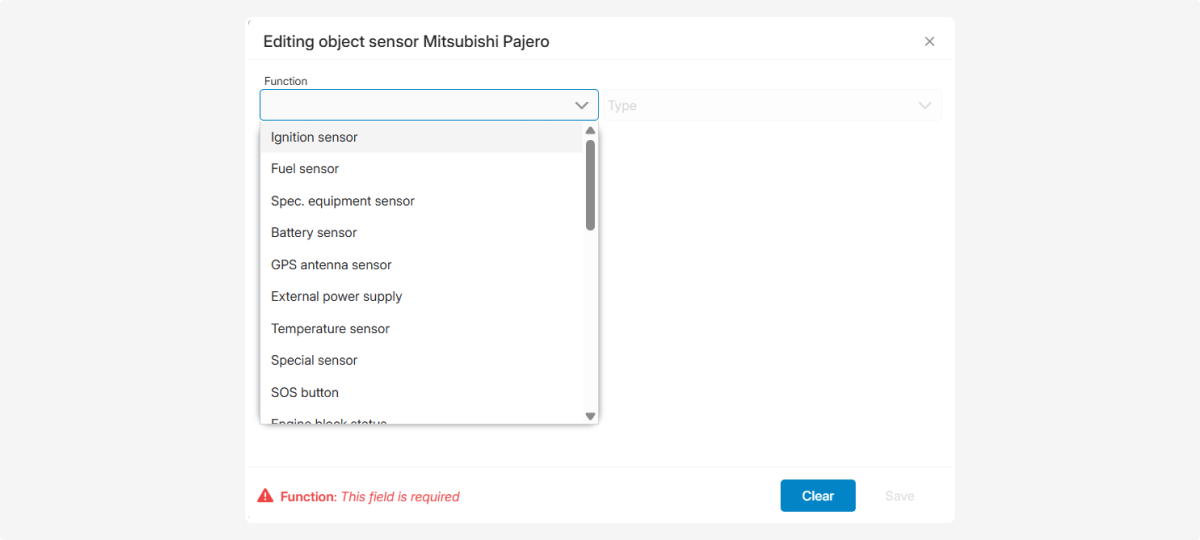
4. Select the type of sensor you want to add, for example, an ignition sensor
5. Fill in the required fields:
— enter the sensor name and description
— select the field where the device sends the sensor’s data
— set threshold values, data update frequency, and other parameters as needed
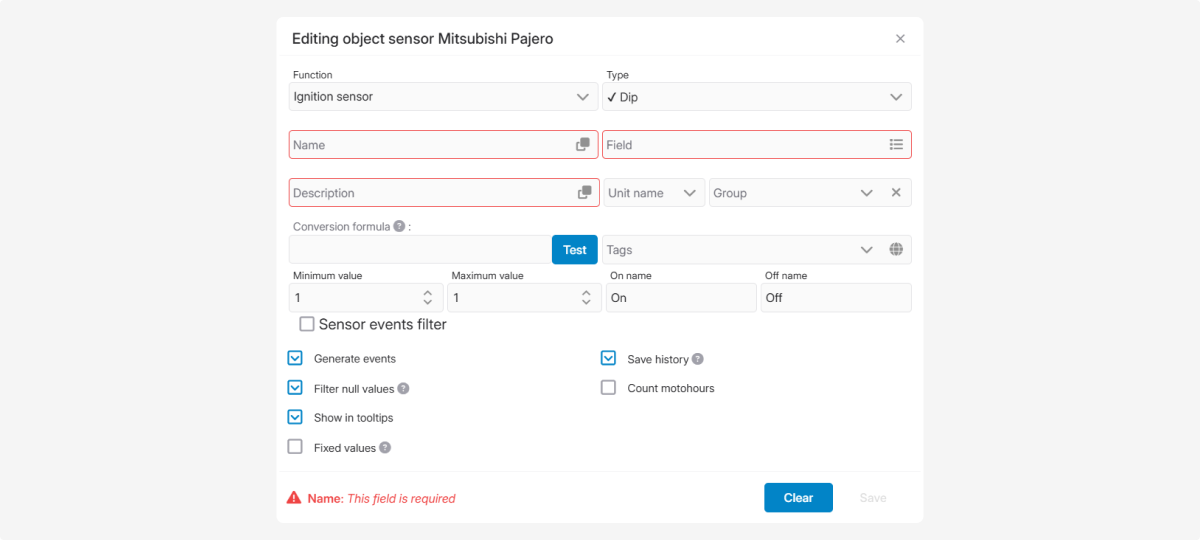
6. Click Save
Make sure the sensor appears in the list of active sensors and is transmitting data correctly.
