Report on contragents
The Report on contragents shows how a sales representative visited clients during a selected period. It helps you understand which counterparties were visited, when the agent arrived and left, and how much time was spent at each location.
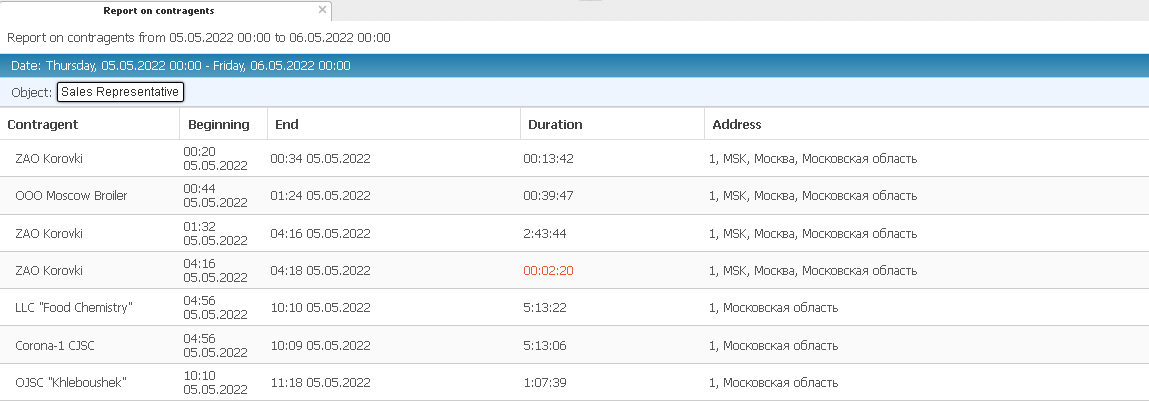
What the report shows
At the top of the report, you can see:
-
The selected reporting period
-
The date and day of the week
-
The object — the sales representative for whom the report is generated
Below this information, there is a table. Each row in the table represents a separate visit to a counterparty.

Report fields
-
Countragent — the client or outlet name in the system
-
Beginning — the time when the sales representative arrived at the client’s location
-
End — the time when the representative left the client
-
Duration — how long the visit lasted
-
Address — the actual address of the counterparty
Below the table, summary information is usually displayed:
-
Total time — total duration of all visits during the selected period
-
Unique visits — number of different counterparties visited by the sales representative