Data recalculation
The Data recalculation module allows you to reprocess an object's data for a selected period and update trip and geofence visit information if the object's settings have changed or the data was not processed completely.
Two types of recalculation are available:
-
Trips — the system recalculates the object's trips
-
Geofences — the system reprocesses the object's geofence visit data
How to start a recalculation
1. Go to General → Online
2. Find the required object in the list
3. Right-click the object
4. Select Data recalculation

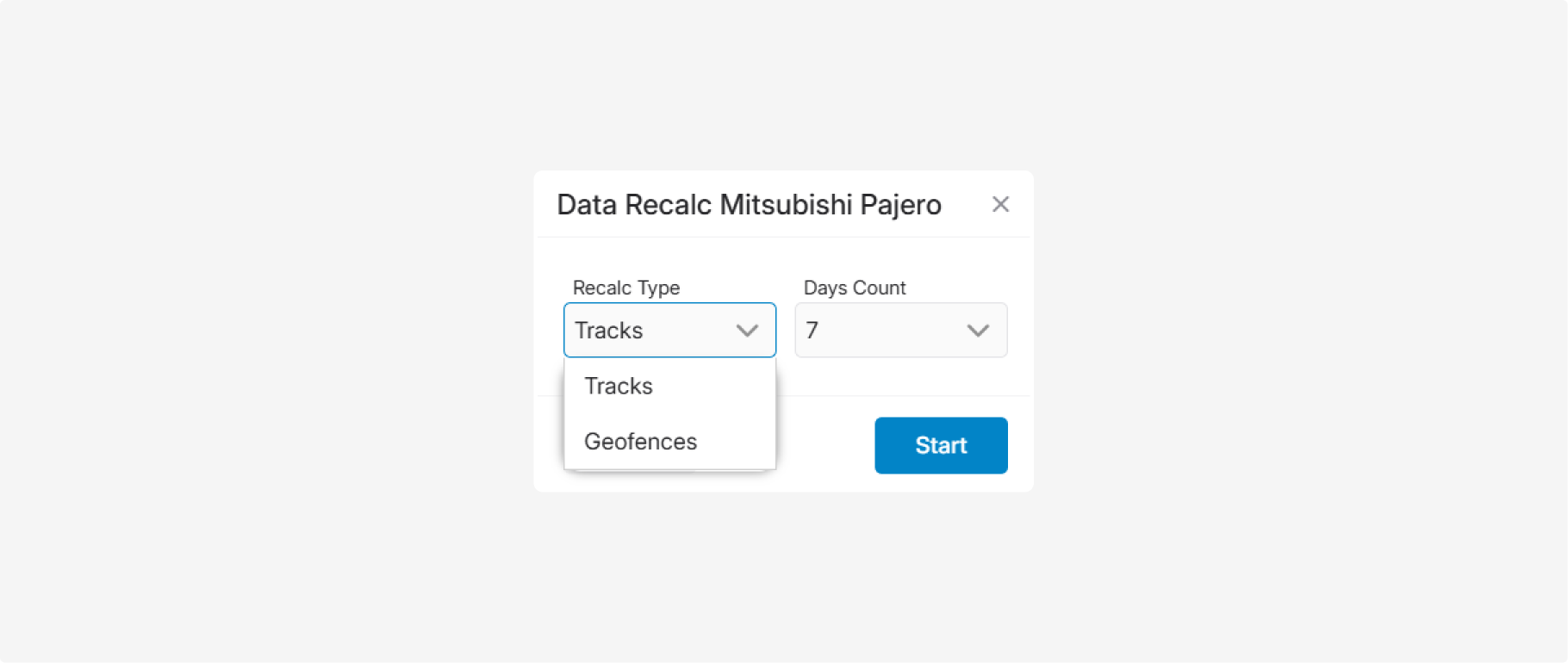
5. In the Recalculation type field, select the data you want to recalculate:
-
Trips — the system recalculates the object's trips
-
Geofences — the system reprocesses the object's geofence visit data6. In the Days count field, specify the period to recalculate.7. Click Start
After you start the recalculation, the request is placed in the processing queue.
Recalculation is not performed immediately. Processing time depends on the selected period and the amount of data to be processed. Larger periods may take longer to complete.
|
Once the recalculation is finished, the results will be available in the recalculation history.
How to view the recalculation results
To check the recalculation status, click History in the Data recalculation window.
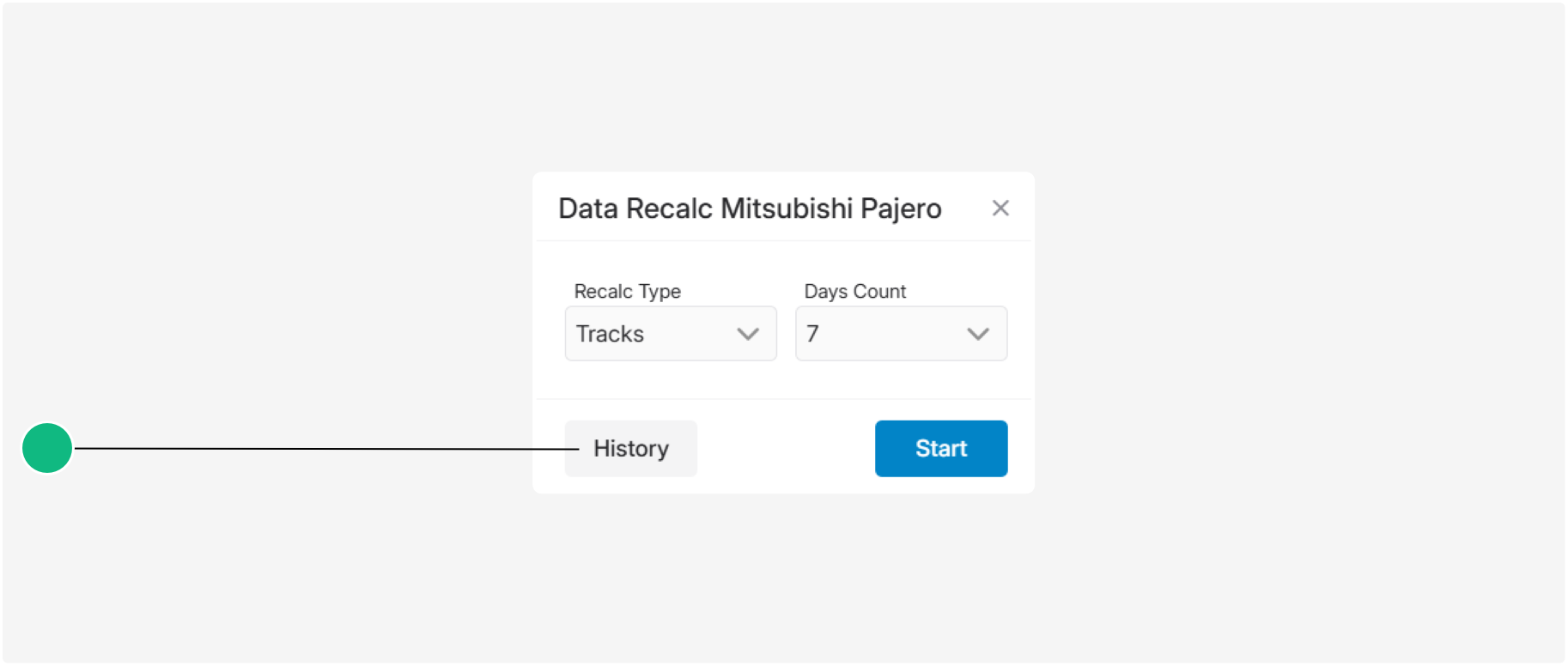
A list of all recalculation requests for the selected object will be displayed. Here you can review the recalculation parameters, its current status, and the processing results.
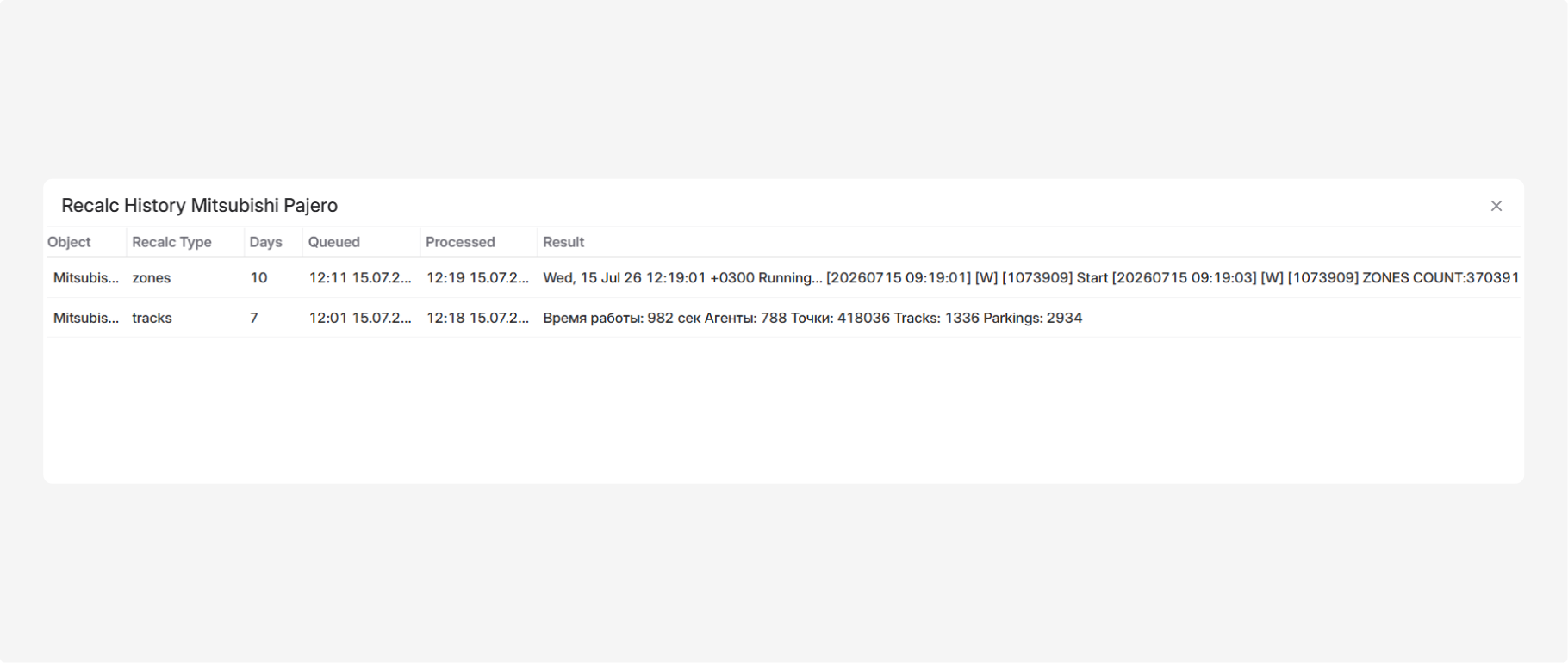
The table contains the following information:
-
Object — the object for which the recalculation was requested
-
Recalculation type — whether trips or geofences were recalculated
-
Days — the number of days selected for recalculation
-
Queued — the date and time when the request was submitted
-
Processed — the date and time when processing finished or the status was last updated
-
Result — the current status and details of the recalculation
If the Processed and Result fields are still empty, the recalculation may still be waiting in the queue or currently being processed. Check the history again later to see the updated status.
After a Trip recalculation, the result may include:
-
Execution Time — the processing time in seconds
-
Agents — the number of processed messages received from the object
-
Points — the number of processed location points
-
Tracks — the number of generated trips
-
Parkings — the number of generated parking events
After a Geofence recalculation, the result may include service information, execution time, and the number of processed geofences. This information is primarily intended for diagnostics. For normal operation, it is sufficient to verify that the recalculation has completed successfully.
If the recalculation does not start, finishes with an error, or the data is still not updated after processing, contact your system administrator or technical support.
|