How to сonnect and use the chat bot
In this guide, you will learn:
— how to use the menu and main functions
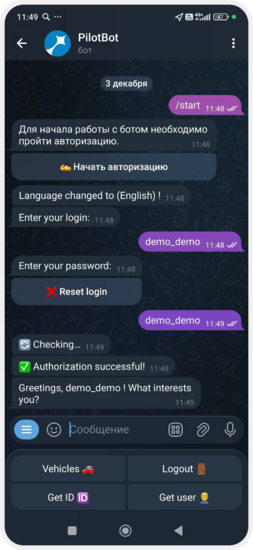
1. Open Telegram and find the bot @pilot_gps_bot. If your account is on the Africa server, use @skyelectronics_bot
2. Press Start
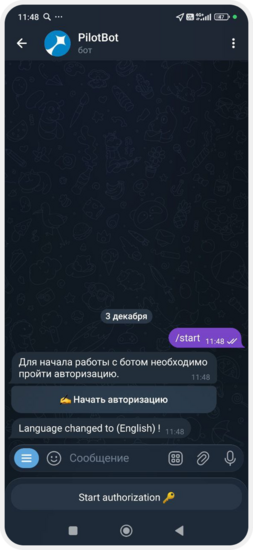
3. Select Start authorization
4. Enter the login and password for your account
If you make a mistake, tap Reset login and start again.

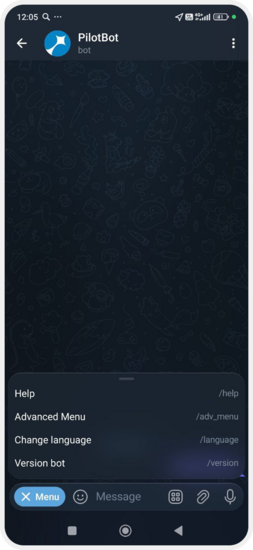
Tap Menu — the main functions will appear:
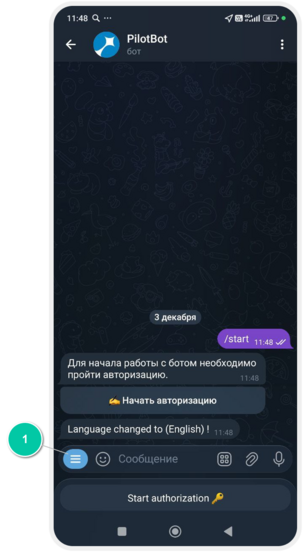
Help
When you press Help, the bot will send you a short welcome message.
It explains what the bot can do:
— show a list of your vehicles
— provide information about each vehicle
— send you your unique ID, which is required to use the tracker
Advanced Menu
When you open the Advanced Menu, you will see additional options:
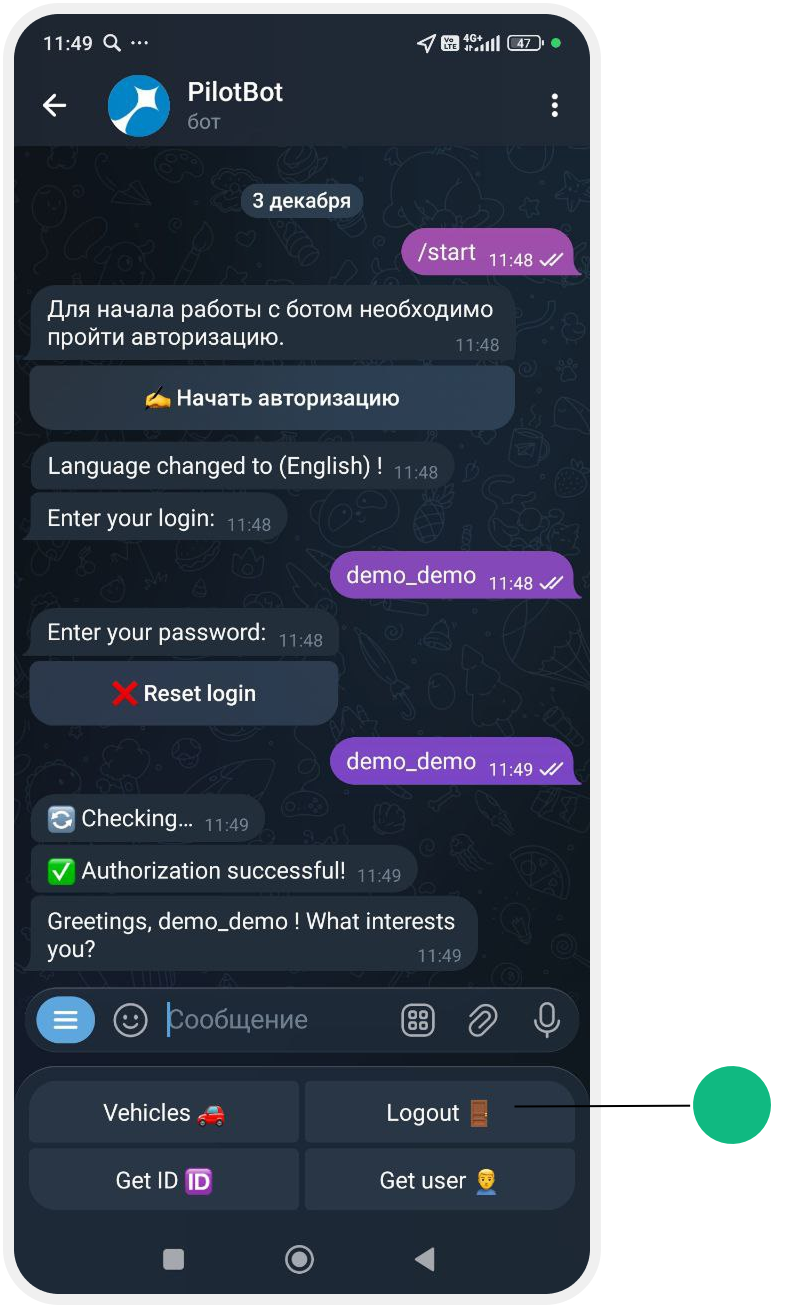
• Vehicles — shows the full list of your vehicles
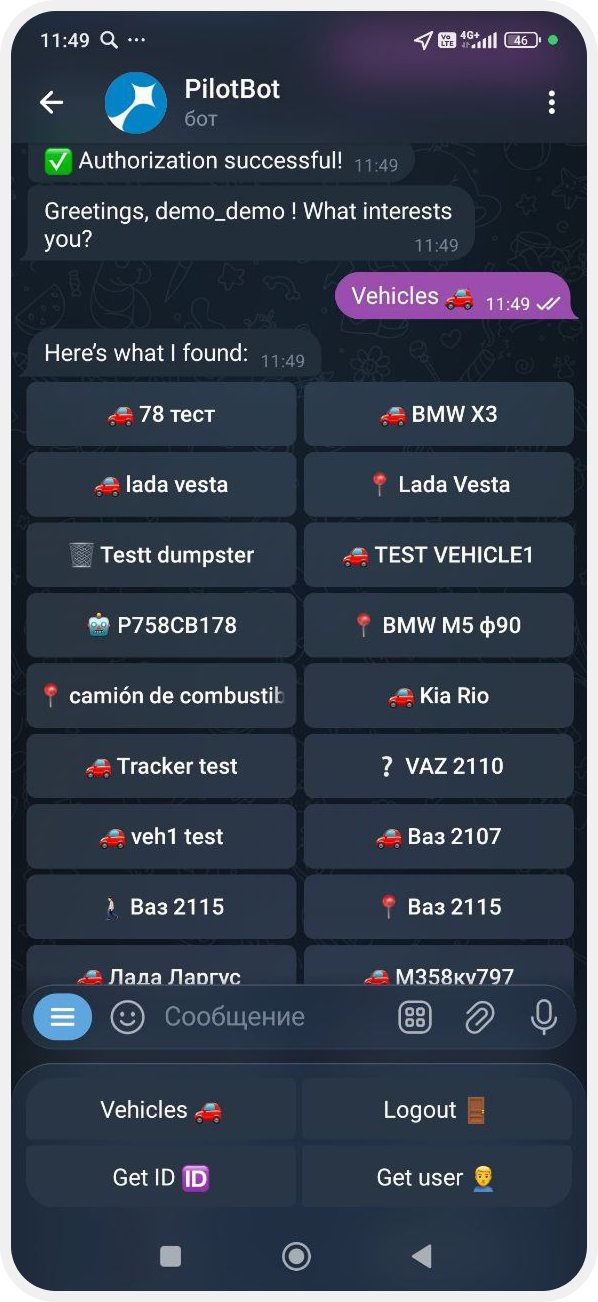
• Get ID — the bot sends your unique ID. ID is the number of your virtual GPS tracker. It works just like a real tracker installed in a vehicle, but the data is sent through Telegram from your phone.
• Get user — shows the account you are currently logged in with
• Logout — logs you out of the bot
Change language
Tap this button to switch the bot interface to another language.
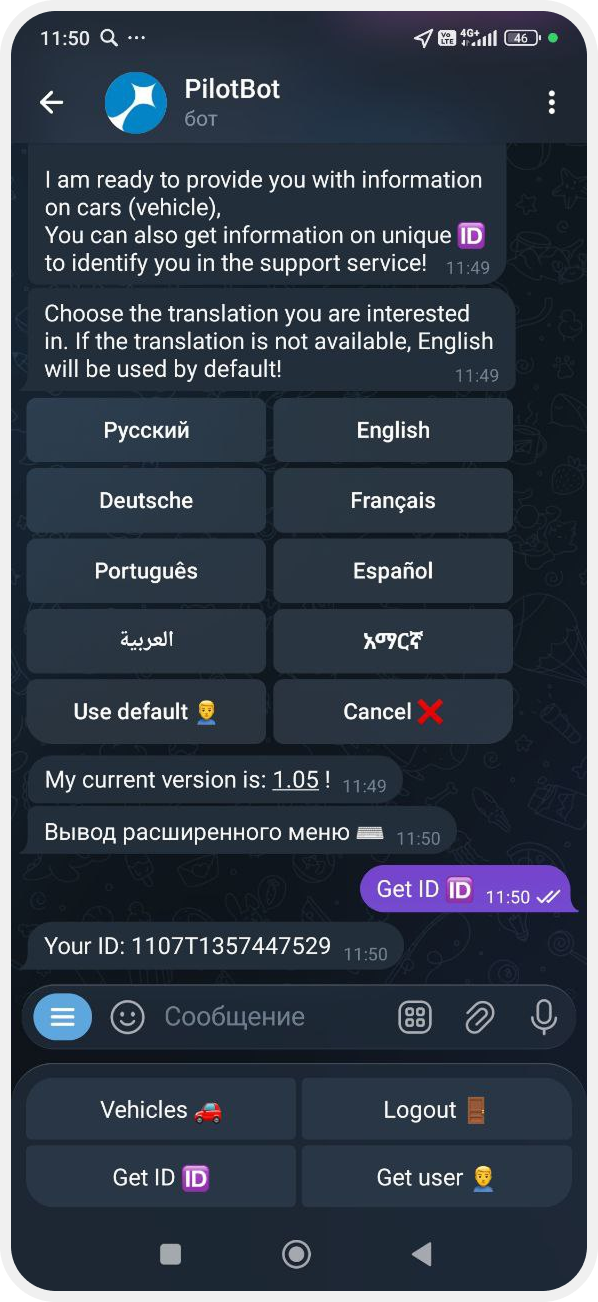
Bot version
Shows the current bot version.
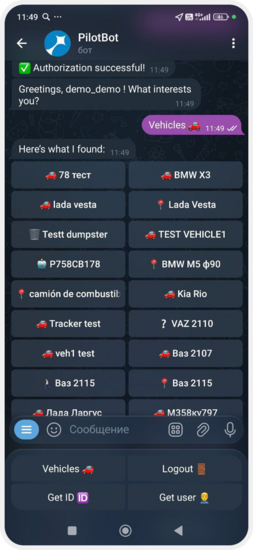
1. Make sure you are logged in
2. Open the Advanced Menu
3. Select Vehicles — the list of vehicles in your account will appear
If you select a specific vehicle, the bot will show:
— a summary of the object
— a map link to view its location