Using Telegram as a GPS tracker
The Telegram bot can work as a virtual GPS tracker. The bot generates a special ID, which acts as a tracker number. When you enable location sharing in Telegram, the monitoring system receives your phone’s coordinates using this ID — just like from a regular GPS device.
How to set up the Telegram tracker
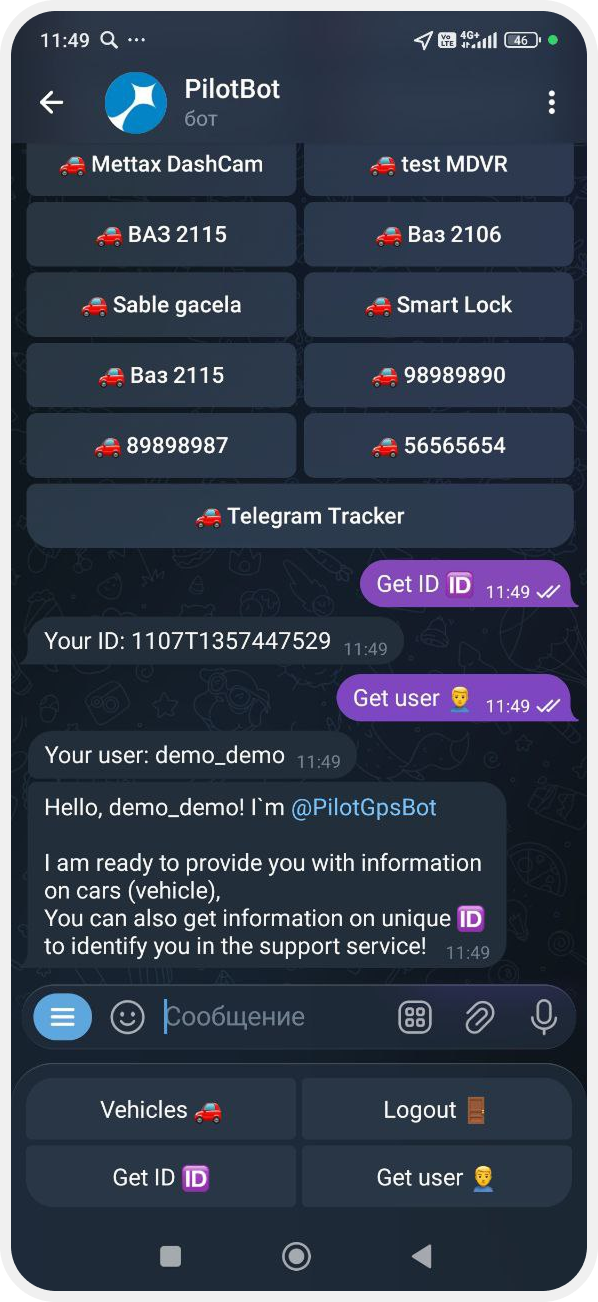
1. Get Your ID
1) Log in to the chat bot
2) Open Advanced Menu
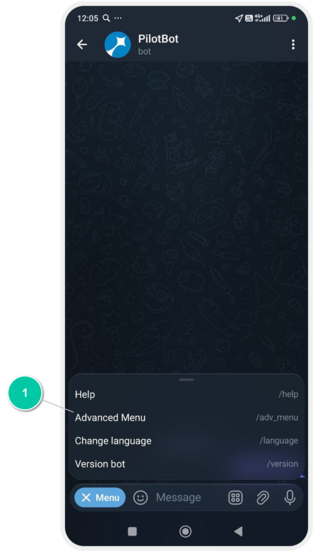
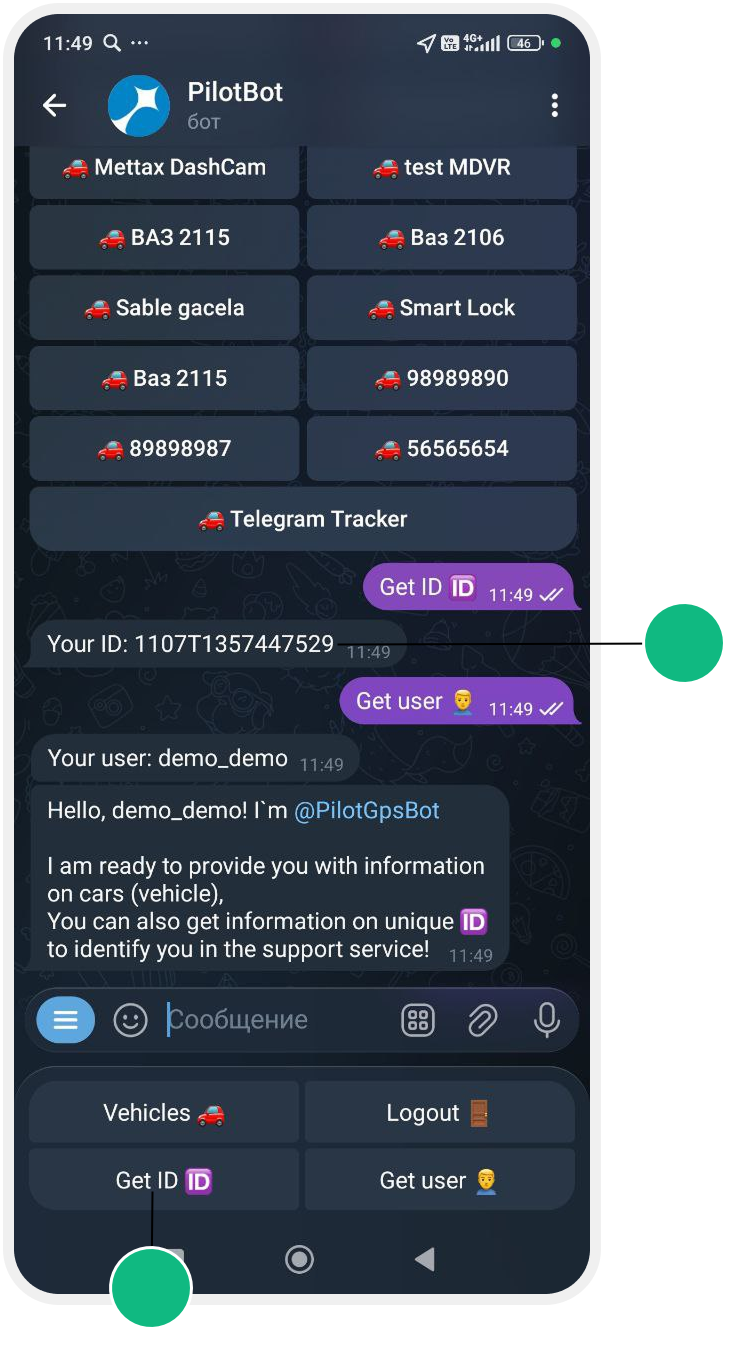
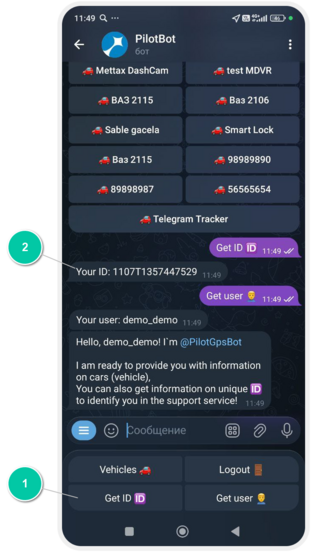
3) Tap Get ID
This ID will be used as the tracker number.
2. Create an object in PILOT
1. In your web account, create a new object
2. Open the object card → Main tab
3. Enter the object name or vehicle number
4. In the Device ID field, paste the ID you received from the bot
5. In Device type, select any available type (the choice does not affect operation)
3. Enable location sharing in Telegram
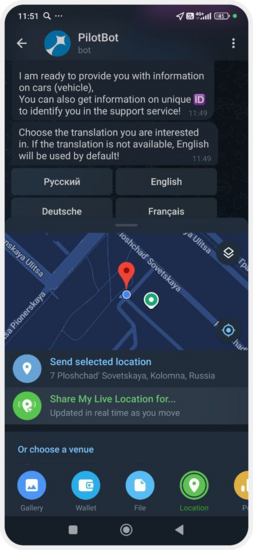
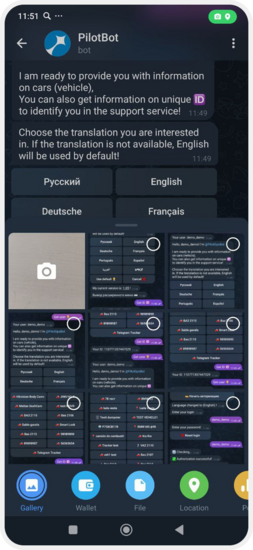
1. Open the chat with the bot
2. Tap the paperclip icon 
3. Select Location

4. Allow location access on your phone
5. Tap Share my live location
6. Select how long you want to share your location
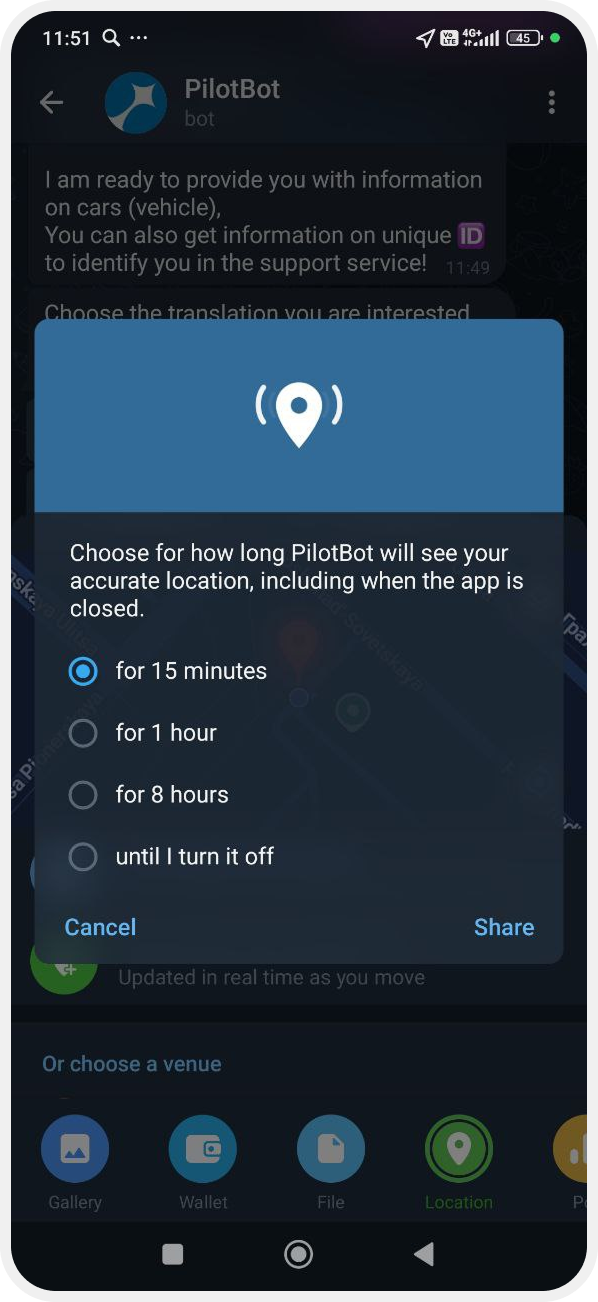
7. Tap Share
Now your phone is working as a tracker.
You will see a message in the chat with your current position. It will contain a location icon — tap it to open the map in Telegram and view your exact point.
In the PILOT system, the object will move together with you — its coordinates will update based on your phone’s geolocation.